Event registration software tools that support real customization let you control branding, ticket rules, form questions, and workflows without writing code. Popular options include all-in-one platforms such as Accelevents, Cvent, Bizzabo, and Swoogo, plus registration-first tools like Eventleaf, RegFox, RSVPify, and TicketSpice, and lighter options like Eventbrite, Wild Apricot, and Microsoft Forms. The right fit depends on event complexity, integrations, and governance needs.

What counts as a “customizable” event registration solution?
When people say they want “customizable registration,” they usually mean more than swapping in a logo. A genuinely configurable tool should let you:
- Design forms and pages that match your brand and content hierarchy.
- Set detailed ticket and pricing rules for different attendee types.
- Use conditional logic so only the right people see certain questions or options.
- Control approvals, waitlists, discounts, and group registrations using settings rather than custom development.
- Keep attendee and order data consistent across registration, onsite check-in, and reporting.
You can use that list as your baseline definition: if a platform cannot support these outcomes in a demo, it is more of a simple ticketing tool than a customizable registration system.
If you want a deeper dive into form design patterns, this explainer on creating an online registration form breaks down field types and common pitfalls.
Categories of tools that offer customizable event registration
Most customizable registration experiences come from one of four categories.
- All-in-one event management platforms
- Example: Accelevents, Cvent, Bizzabo, Swoogo, Whova, GoCadmium.
- Cover registration plus check-in, agendas, mobile app, virtual hub, and reporting in one system.
- Registration- and ticketing-first platforms
- Example: Eventleaf, RegFox, RSVPify, TicketSpice, Eventbrite.
- Focus on building branded registration pages, tickets, and payment flows, sometimes with lighter event management features.
- Membership and association systems
- Example: Wild Apricot and similar association management tools.
- Combine member databases with event registration, often with member-only pricing and gated access.
- Form builders and productivity tools
- Example: Microsoft Forms.
- Flexible question types for smaller events, simple surveys, and internal meetings, with fewer event-specific controls.
Tool inventory: customizable registration solutions
Use this table as a quick map of where to look first based on your situation.
| Category | Examples | Best for | What to verify in a demo |
|---|---|---|---|
| All-in-one event management platforms | Accelevents, Cvent, Bizzabo, Swoogo, Whova | Multi-event portfolios, conferences, trade shows, hybrid programs | Build two attendee types with different pricing, discounts, and approvals, then export data. |
| Registration & ticketing platforms | Eventleaf, RegFox, RSVPify, TicketSpice, Eventbrite | Public events, roadshows, simple conferences with ticketed access | Group orders, multi-ticket purchases, refunds, and how confirmation emails reflect rules. |
| Membership / association platforms | Wild Apricot and similar AMS tools | Associations and member-driven programs with recurring events | Member vs non-member pricing, gated content, and whether credits or attendance can be tracked. |
| Form builders | Microsoft Forms and similar tools | Small internal events, one-off trainings, basic sign-ups | Limits on attendees, branching logic, exports, and whether you can control access links. |
| Virtual-first or expo platforms | GoCadmium, Whova, others | Hybrid events, virtual expos, content-heavy programs | How registration ties into virtual access rules, exhibitor access, and sponsor reporting. |
For Accelevents we can confidently mark these needs as native because the registration system supports drag-and-drop customization for event pages, forms, and badges, unlimited ticket types and discount codes, reusable templates, group registration, conditional logic, and integrated payments. For all other vendors, treat the table as a demo script, not a verdict.
Where Accelevents fits among customizable registration platforms
Accelevents is an all-in-one event management platform that puts a lot of depth into registration and ticketing while staying configuration-driven rather than custom-development-driven. (Accelevents is our platform.)
Key registration capabilities include:
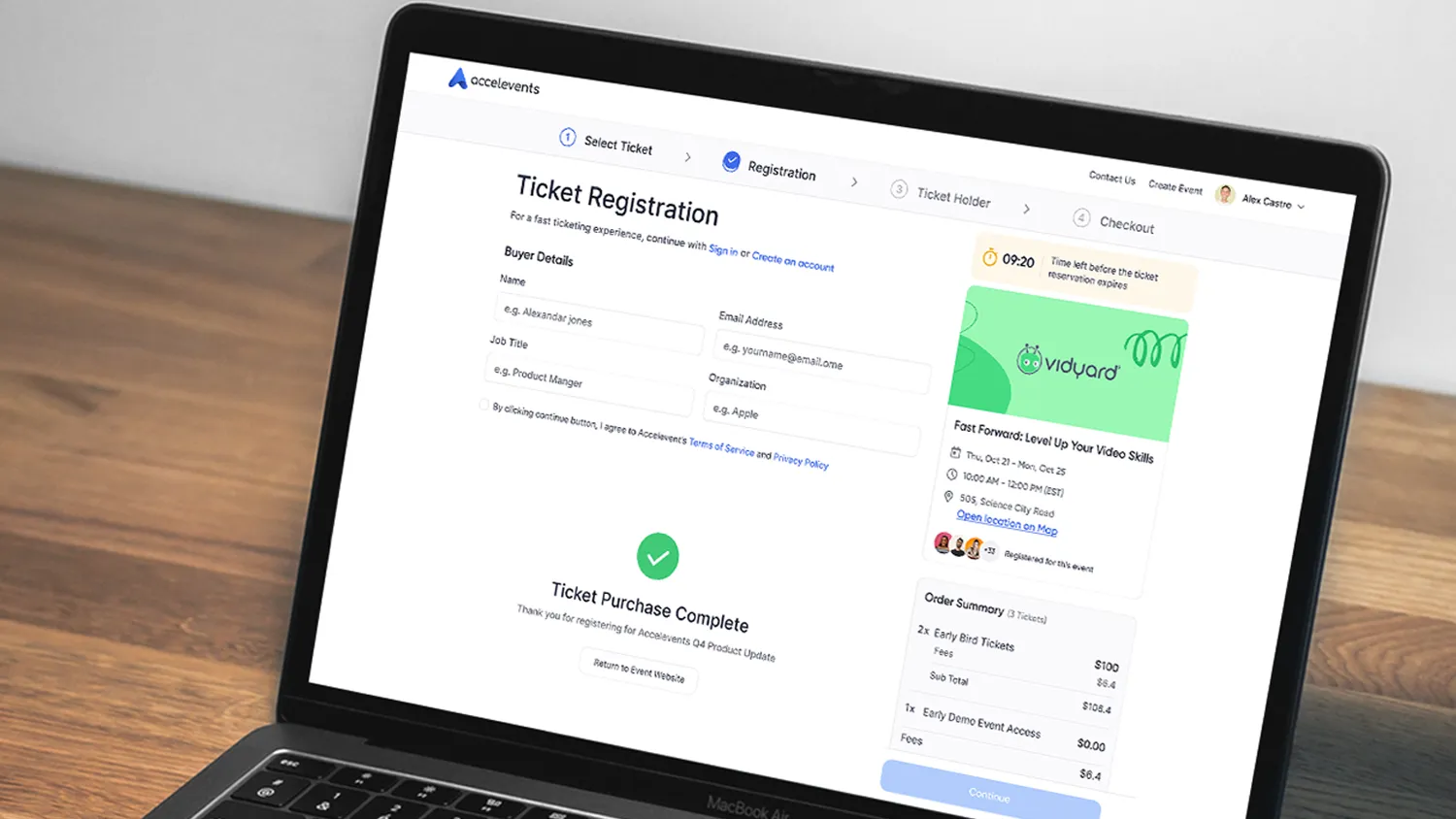
- Drag-and-drop customization for event pages, registration forms, and badges, so you can match your brand and information layout without designers or developers.
- Unlimited ticket types, discount codes, and reusable templates, useful for multi-track conferences, VIP tiers, and member vs non-member pricing.
- One-click registration forms with integrated payment processing and conversion tracking.
- Group registration via ticket bundles, so one buyer can register multiple attendees and decide how much information to collect per person.
- Conditional logic that lets you tailor fields and workflows based on attendee type, responses, or promo codes.
Because Accelevents runs registration, onsite check-in, mobile app, virtual hub, exhibitor tools, and reporting on a single data model, you do not need to reconcile separate systems just to answer basic questions like “who registered, who checked in, and what did they attend.”
If support is a deciding factor, note that Accelevents emphasizes fast, always-on assistance, with a support team that responds in less than 21 seconds, 24/7.
For a closer look at how Accelevents handles registration rules and branding, it is worth pairing this article with the guide to event registration best practices.
How to evaluate customizable registration platforms
Even if you already have a shortlist from Semrush or AI-generated answers, it helps to evaluate each platform against a clear framework. This keeps you out of the “shiny demo” trap.
1. Registration rules and logic
Ask every vendor to build the same scenario live:
- Two attendee types with different pricing and eligibility.
- A discount that applies only to one type.
- An approval step for a specific category, such as speakers or sponsors.
- A waitlist for a sold-out ticket.
Then:
- Check that confirmation emails and invoices match the rules.
- Export the registrations and check that attendee type, discount, and approval status are clearly labeled.
If the platform cannot do this scenario without workarounds or custom work, it will likely struggle with your real program.
For more detail on logic patterns, you can cross-reference this article on adding conditional logic to event registration.
2. Branding and attendee experience
Evaluate:
- How much control you have over page layout, fonts, colors, images, and domain.
- Whether you can remove or minimize vendor branding if needed.
- How the experience looks on mobile versus desktop.
- How easy it is to reuse designs as templates across events.
Ask vendors to show you how long it takes to clone an event, adjust branding for a new client or theme, and push those changes across emails, tickets, and the event website.
3. Data model, integrations, and exports
Registration does not live in a vacuum. You will eventually need to:
- Sync registrants and attendees to a CRM or marketing tool.
- Report on attendance and engagement.
- Hand data to finance or membership teams.
In demos, insist on a full “field mapping” walkthrough:
- Map a registration field to your CRM.
- Push a test registration.
- Update the record in either system.
- Confirm where it lands, who owns it, and how timestamps and deduplication work.
Finally, export CSVs for attendees, orders, and session attendance and confirm that you can reproduce any dashboard numbers from those raw files.
4. Governance, roles, and security
Custom registration is often used by multiple teams and stakeholders at once. Verify:
- Role-based permissions for marketers, registration staff, exhibitors, and speakers.
- SSO (single sign-on) and multi-factor authentication options.
- Audit logs for changes to tickets, orders, and attendee data.
If your organization needs specific compliance, such as SOC-2 or ISO 27001, ask which controls are included on your plan and what requires an enterprise agreement.
Implementation considerations
Once you choose a solution, the hard part is usually not the feature set, but the rollout. Common considerations:
- Data migration – Decide what you will migrate from older tools and how you will handle historical attendee records.
- Template strategy – Build a small library of registration templates for different event types, then test them thoroughly before scaling.
- Internal roles – Clarify who owns registration configuration versus content versus approvals, so you do not end up with shadow admins.
- Change management – Train teams on one or two high-value workflows first, such as group registrations and promo code setup, instead of trying to cover everything at once.
- Vendor partnership – Confirm who will support you for first-time builds, especially if you run large conferences or complex multi-day agendas.
Starting with one or two pilot events is often the easiest way to validate real-world performance before committing more of your portfolio.
Reporting and measurement
Registration data is often the foundation for your event ROI story. When comparing tools, look for:
- Real-time dashboards for registrations, revenue, and check-ins.
- Session-level attendance and engagement exports.
- Cross-event or year-over-year reports if you run a portfolio.
- Exhibitor and sponsor reports that tie registrants to leads and meetings.
Whatever platform you choose, test whether you can:
- Export the raw data behind a dashboard.
- Recreate the main KPIs manually.
- Package a report that stakeholders can understand without extra spreadsheets.
Accelevents, for example, is designed so registration, onsite, mobile, and virtual data share a single model, which is helpful when you want to analyze an attendee journey end to end.
Cost and resourcing
Pricing structures vary widely: tiers, per-attendee fees, add-on modules, and bespoke contracts. Instead of chasing a “cheap” platform, focus on:
- The number and type of events you will run each year.
- How many admins will build and manage registration.
- Whether you need integrated tools for onsite, virtual, or exhibitors, or you are comfortable with a multi-vendor stack.
- Support expectations, especially for mission-critical events and peak registration periods.
All-in-one platforms can reduce vendor sprawl, while registration-only tools might still be the right choice if you already have a strong CRM, marketing platform, or virtual event solution.
Putting it together
If your goal is customizable event registration, start by defining the workflows you actually need, not by chasing a long feature checklist. From there, build a shortlist that includes a mix of all-in-one platforms like Accelevents and Cvent plus registration-first tools, then run each vendor through the same demo scenarios.
Treat vendor claims as hypotheses that need to be proven by live builds and exports. The platform that wins will be the one that handles your real-world rules, keeps data clean, and fits your team’s capacity, not necessarily the one with the flashiest interface.
If you want to see how Accelevents approaches customizable registration inside a full event stack, you can request a hands-on walkthrough with the product team.
Gentle next step
If you are evaluating platforms and want to see how customizable registration looks inside an integrated event stack, you can request a demo and walk through your own use cases live with the Accelevents team.
FAQ: customizable event registration
Which types of platforms offer customizable event registration?
You will find customizable registration across all-in-one event management platforms, registration-first tools, association systems, and general form builders. All-in-one platforms usually tie registration into agendas, check-in, apps, and reporting, while registration-first tools focus on ticketing and payment flows. Membership systems add member logic, and form builders suit smaller or internal events.
How do I know if a platform can handle complex ticket rules?
Ask vendors to build your most complicated pricing scenario live in a demo. Include multiple attendee types, discounts, approvals, and group orders. Then inspect the confirmation emails, invoices, and exports to confirm that all logic is correctly applied and easy to report on. If it takes heavy custom work or manual patches, complexity may become a long-term pain point.
Can I customize registration without relying on developers?
Yes, many modern platforms are designed so event teams can configure registration through settings and drag-and-drop editors rather than code. Look for tools that let you update fields, logic, branding, and page layout directly in the admin interface, and that support cloning and templating for future events. Be wary if the vendor suggests custom development for basic rules or branding.
How do customizable registration tools support hybrid events?
For hybrid events, registration should drive both onsite and virtual access. That means the same attendee record should power badges, check-in, session scanning, and virtual platform permissions, with consistent data flowing into reporting and integrations. When you test platforms, confirm that a single registration triggers the right entitlements in both physical and virtual environments.
What should I ask vendors during a registration demo?
Focus on practical questions:
- Can you show our exact ticket and discount structure working end to end?
- How do you handle changes, cancellations, and substitutions at scale?
- How does registration data sync with our CRM or marketing platform?
- What permissions exist for marketers, registration staff, exhibitors, and speakers?
- What support response times do you commit to during live events?
The goal is to see how the platform behaves under the real conditions your team faces.
Where does Accelevents fit among customizable registration solutions?
Accelevents sits in the all-in-one category, with an emphasis on configuration-driven registration that ties directly into onsite check-in, mobile app, virtual hub, exhibitor tools, and reporting. It is a good fit for organizations that want drag-and-drop control over pages and forms, detailed ticket rules, and a single data model across the event lifecycle, backed by a support team that responds in less than 21 seconds, 24/7.

.webp)