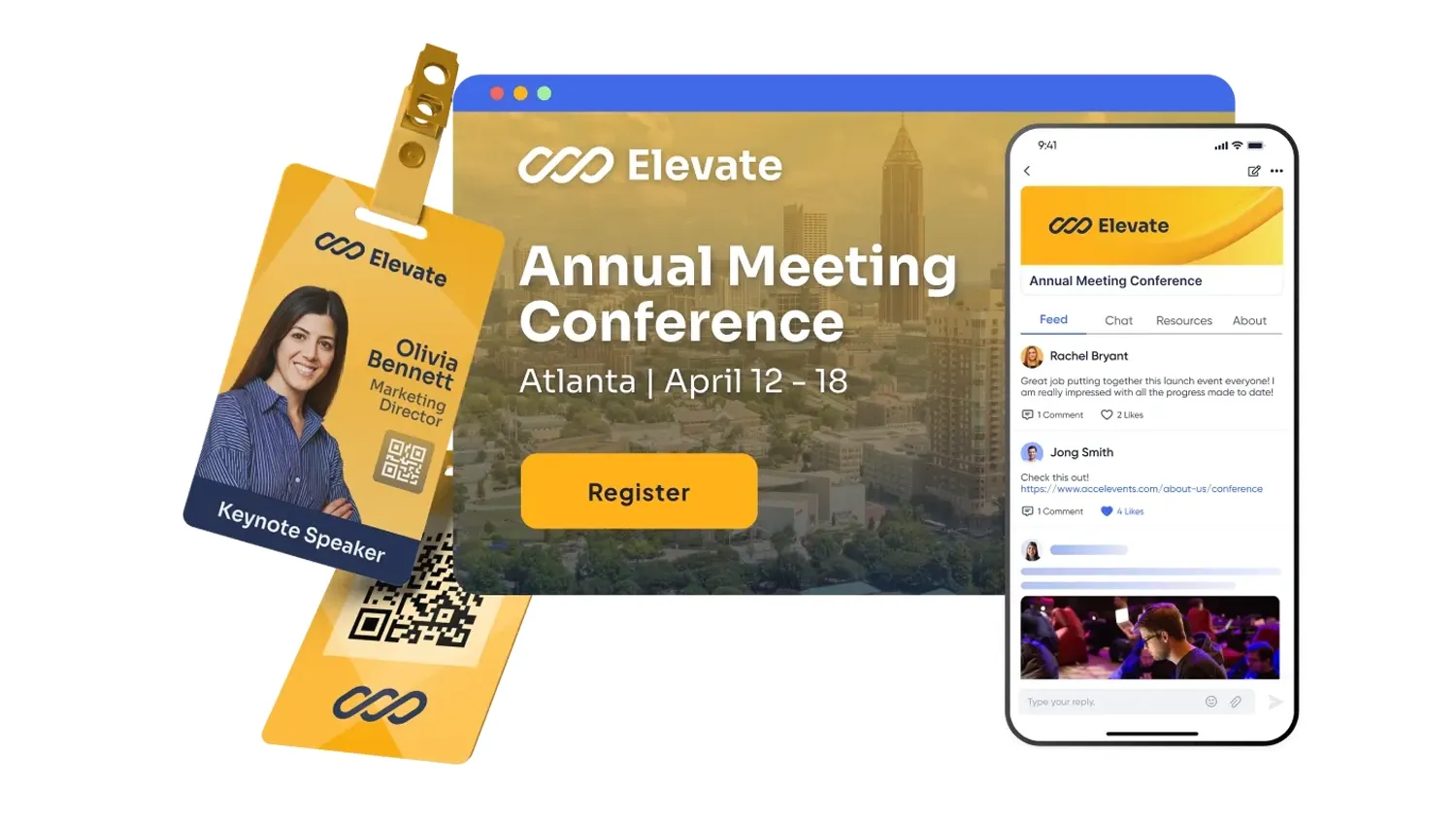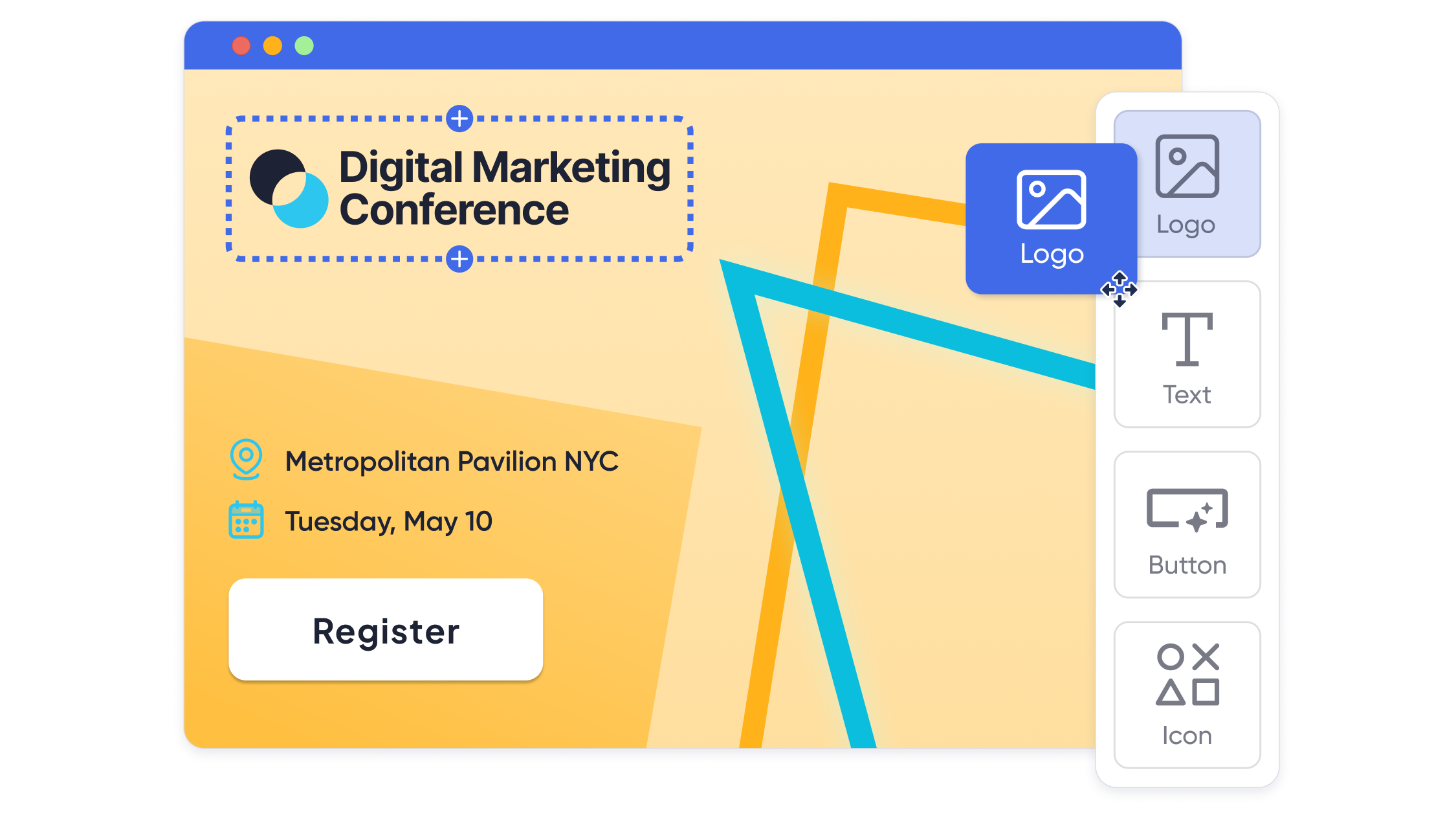
A fully branded event website starts with the right platform, then tight control over domains, layouts, colors, fonts, and content across every attendee touchpoint. To get there, define your brand system, choose a event website builder with white-label options and registration tools, map branding into pages, emails, and mobile, then test the full journey from invite to check out and post-event follow up.

What counts as a “fully branded” event website?
A fully branded event website looks and feels like an extension of your organization, not your event platform. The URL, visuals, language, and interaction patterns all match your existing brand, so attendees experience one consistent story from invite through check in.
In practice, that means more than dropping a logo on a template. Your event site should respect your primary and secondary color palette, typography, grid and spacing, tone of voice, and photography or illustration style. Your legal and accessibility requirements should be met, and everything must render correctly on mobile.
From a workflow angle, “fully branded” also includes what attendees never see: how the site connects to your registration logic, payment flows, data exports, and analytics. The goal is to control the entire experience without having to build and maintain a custom coded site for every event.
Core building blocks of a branded event site
When you break it down, a fully branded event website is built from seven pieces:
- Domain and URL structure
- Custom domain or subdomain (for example, events.yourorg.com or yourshow2026.com).
- Consistent naming conventions across events and languages.
- Visual identity
- Brand colors and gradients.
- Brand fonts or closest available web-safe alternatives.
- Logo lockups and favicon.
- Photography, icon, and illustration style.
- Content and messaging
- Headline and body copy that match your brand voice.
- Clear value proposition and agenda stories tailored to each audience segment.
- Registration and ticketing UX
- Registration forms that follow your brand, not the vendor’s default style.
- Pricing tiers, group registration, and conditional questions aligned with your policies.
- Email and notification branding
- Branded confirmation, reminder, and post-event emails.
- Consistent sender name, reply-to, and footer content (legal, privacy, unsubscribe).
- Mobile and on-site experience
- Mobile responsive pages, agendas, and ticket wallets.
- Branded mobile app or event hub when relevant.
- Data, integrations, and reporting
- Clean data handoff into CRM (customer relationship management) and marketing automation tools.
- Shareable dashboards and reproducible reports for stakeholders.
If your stack supports all seven, you are in “fully branded” territory. If any piece is a workaround or a separate tool, that is where friction usually appears.
Platform options for fully branded event websites
There are three main ways to build a branded event site:
- All in one event management platforms with website builders
- Single environment that handles registration, agenda, onsite, mobile app, and often a virtual hub, with a built in event website builder.
- Event page and registration builders
- Focused on landing pages and registration flows, sometimes used alongside separate event apps or virtual platforms.
- General website builders and CMS (content management systems)
- Traditional website tools like Squarespace or WordPress, often paired with embedded forms or links to separate registration systems.
Most organizations end up with a hybrid: maybe an all in one platform for conferences and a general website builder for small internal meetings or campaigns.
Tool inventory: event website options at a glance
Neutral-first overview. Use this as a starting shortlist and then verify specifics in a demo.
| Category | Example platforms | Best for | What to verify in a demo |
|---|---|---|---|
| All in one event platforms with website builders | Accelevents (Accelevents is our platform.), Cvent, Bizzabo, Whova, Azavista | Conferences, trade shows, multi event portfolios that need registration, onsite, and branding | Depth of page theming, true white-label options, registration rules, exports, and stakeholder reports |
| Event page and registration builders | Splash, Stova, RSVPify, Eventogy | High volume campaigns, roadshows, or simple registration sites that must look polished | Brand control over forms, email branding, custom domains, and whether analytics export cleanly |
| General website builders and CMS (content management systems) | Squarespace, Webflow, WordPress | Organizations with in house web teams that want pixel level control and are comfortable managing plugins | How event data is captured, CRM syncing, and maintenance overhead for templates and plugins |
| Virtual-first event platforms with landing pages | vFairs, Brella, Hopin | Virtual and hybrid experiences where the “site” is also the viewing hub | Branding of lobby and navigation, custom domains, and how registration integrates with video delivery |
| Agency built custom microsites | Internal web team or external agency | Flagship events with strict brand requirements and highly customized layouts | Ownership of code, ability to reuse components, and how changes propagate across forms and data flows |
Treat these as categories, not rankings. For each, your job is to confirm whether the platform can match your branding requirements without resorting to custom development for every change.
Lightweight comparison: branding and website features
Use this table as a quick conversation starter with vendors. Values are intentionally neutral:
- Native – clearly built in as a core feature.
- Integrates – typically handled through integrations or plugins.
- Varies – may depend on edition, add ons, or configuration.
- Confirm – ask the vendor to demonstrate this live.
| Platform | Custom domain | White-label attendee experience | Drag and drop event pages | Built in registration & ticketing | Branded email templates | Mobile event app or hub |
|---|---|---|---|---|---|---|
| Accelevents | Native | Native | Native | Native | Native | Native |
| Cvent | Confirm | Confirm | Confirm | Confirm | Confirm | Confirm |
| Splash | Confirm | Confirm | Confirm | Confirm | Confirm | Varies |
| RSVPify | Confirm | Confirm | Confirm | Confirm | Confirm | Integrates |
| Eventogy | Confirm | Confirm | Confirm | Confirm | Confirm | Confirm |
| Squarespace | Native | Varies | Native | Varies | Native | Integrates |
| Whova | Confirm | Confirm | Confirm | Confirm | Confirm | Native |
For competitors, keep the table as a prompt for your RFP or demo script rather than a promise. Ask each vendor to show exactly how your brand will appear on screen and in emails for one real event, end to end.
Step by step: how to build a fully branded event website
You can use this workflow regardless of which platform you pick.
1. Gather and standardize your brand assets
Collect your logo files, primary and secondary colors (as HEX or RGB values), font families, spacing rules, and photography guidelines in one place. If you do not have a formal brand kit, start by defining a simple palette, two font styles, and a logo lockup that can work in narrow headers and mobile layouts.
2. Choose your platform category
Decide if you are better served by:
- One all in one event platform for registration, site, and onsite operations.
- A landing page plus registration builder.
- A general website builder paired with a registration tool.
For lean teams or busy event portfolios, a configurable platform often wins on setup time and data consistency, compared to running separate site and registration tools.
3. Map your attendee journeys
Before you touch a page builder, sketch the journeys for each audience type: general attendees, members, speakers, exhibitors, and sponsors. Note where they land, what they click, and which forms they complete. This will drive your navigation menus, CTAs, and content blocks.
4. Configure domains, navigation, and layouts
- Connect a custom domain or subdomain.
- Set up your global header, footer, and navigation for key sections: Home, Agenda, Speakers, Sponsors, Venue, FAQs, and Contact.
- Create layout templates for different page types so branding stays consistent even as content changes.
5. Build registration flows that match your brand
Use your platform’s form builder to:
- Set up ticket or registration types (for example, member, non member, VIP, exhibitor staff).
- Apply conditional questions by attendee type.
- Configure confirmation emails, receipts, and invoices with your logo and color palette.
Run a test registration for each scenario and confirm that the right branding and logic appear in the forms and emails.
6. Extend branding to email, mobile, and onsite
A “fully branded website” is not just a web page.
- Align reminder and update emails with the website look and feel.
- If you have a mobile event app, configure colors, icons, and splash screens to match your site.
- Make sure onsite check in, badges, and printed materials use the same design system.
7. Test, measure, and iterate
Before launch, run through the site as each key persona, including on mobile. After launch, monitor:
- Page level conversion to registration.
- Drop off points in the registration funnel.
- Email engagement and click paths back to the site.
Use those insights to refine your templates for the next event rather than starting from scratch.
Implementation considerations
Data and integrations
Your event website is only as useful as the data it feeds. When evaluating platforms, verify:
- How registration data maps into your CRM and marketing tools.
- Whether updates to attendee profiles sync in both directions.
- How quickly data appears for sales or membership teams after someone registers.
Ask vendors to demonstrate a live field mapping exercise and to export raw attendee and order data to show how clean it is.
Roles, permissions, and governance
Branded sites often involve multiple stakeholders: marketing, events, legal, design, and IT. Look for:
- Role based permissions for content editors, registration admins, exhibitors, and speakers.
- Approval workflows for high risk changes like pricing, terms, or privacy text.
This reduces the risk of off brand variants appearing in the wild.
Onboarding and change management
Plan for:
- Admin training for your events team.
- Style guides and checklists for agency partners or internal stakeholders who will build pages.
- A cadence for refreshing templates across your event portfolio.
For large portfolios, it often pays to pilot the new site structure on one event, then roll out as a reusable template.
Reporting and measurement for branded event websites
A good branded site should not only look right, it should help you prove event value.
Key questions to ask:
- Can you see registration conversion rates by traffic source and landing page?
- Can you compare performance across events and year on year?
- Are dashboards shareable, and can you reproduce those numbers from CSV exports?
For continuing education or certification events, verify that session attendance, credit assignment, and certificate generation are tied back to the same attendee records used for registration and website engagement.
Cost and resourcing: what really drives budget
Instead of focusing only on license fees, consider:
- Volume – number of events, attendees, and admins using the builder.
- Branding depth – whether white-label branding and custom domains are included or require higher tiers.
- Support expectations – do you need 24/7 human support or primarily self service documentation.
- Internal time – design, copywriting, and QA required for each event build.
For many teams, the largest hidden cost is people time spent recreating branding on each event site. Templates, reusable content blocks, and a single data model across events usually save more than shaving a small amount off license cost.
Where Accelevents fits for fully branded event websites
Accelevents is an event management software platform that combines registration, onsite operations, mobile apps, and a virtual hub in one system, with a strong focus on branding control and data consistency. (Accelevents is our platform.)
From a branding perspective, Accelevents offers:
- Full white-label branding across event websites, mobile apps, and virtual environments, with customizable themes and layouts.
- Drag and drop customization for event pages, registration forms, and badges, plus reusable templates so your team is not rebuilding from zero each time.
- Highly configurable ticketing and registration logic, including multiple attendee types, discounts, bundles, and conditional questions.
Behind the scenes, Accelevents uses a single data model across registration, onsite, and virtual components. That means your branded site, emails, mobile app, and analytics are all pulling from the same attendee and engagement records, which reduces manual cleanup before you export to systems like Salesforce, HubSpot, or Marketo.
For organizations that run conferences, trade shows, internal meetings, and continuing education events, Accelevents is designed to bridge the gap between complex enterprise requirements and practical day to day usability, while still giving you precise control over how your brand appears at every touchpoint.
If you want a deeper dive into event branding, you can also explore resources like Accelevents’ guides on how to customize event branding across attendee touchpoints and how to build a killer event website for more design focused best practices.
Putting it together
Creating a fully branded event website is less about a single “perfect” platform and more about aligning your tools, brand system, and data. Start with clear definitions of what branded success looks like for your organization, then use that to guide your choice of platform category and vendor.
From there, templates, governance, and measurement help you scale. Once your first fully branded build is live, treat it as a product you refine over time, not a one off project. The payoff is a consistent attendee experience and cleaner data across your entire event portfolio.
FAQ: fully branded event websites
How do I know if my event website is fully branded?
Your event site is fully branded when attendees would reasonably assume it is part of your main website. Check that the URL, colors, fonts, imagery, tone of voice, and navigation patterns match your core brand, and that emails, mobile views, and onsite touchpoints carry through the same design choices.
Do I need a developer to build a fully branded event website?
Not necessarily. Many event platforms and registration tools offer drag and drop builders, theme settings, and reusable templates that allow non developers to create branded sites. You will still need design and copy input, but most day to day changes can be handled by your event or marketing team.
What is the difference between white-label and branded event websites?
A branded event website applies your logo, colors, and content within the vendor’s visible framework. A white-label experience removes or hides the vendor’s branding from attendee facing pages, emails, and apps, so your organization’s name and design are front and center. Always confirm how far white-labeling goes in practice.
Should I use my main website or a separate event platform for event pages?
Use your main website when you need deep content and SEO for a flagship event, and your web team has capacity. Use an event platform when you prioritize registration logic, attendee data, and speed to launch. Many teams combine approaches, using the main site for high level information and the event platform for registration and detailed agendas.
Can I reuse a branded event website for future events?
Yes. The most efficient teams turn successful event sites into templates, then clone and adjust branding, content, and pricing for future events. When you evaluate platforms, verify that they support multi event templates, shared themes, and reusable content blocks so your work compounds over time.
If you want to explore whether Accelevents can support your branded event website and registration workflows, you can request a demo to see a live build based on your use case.