

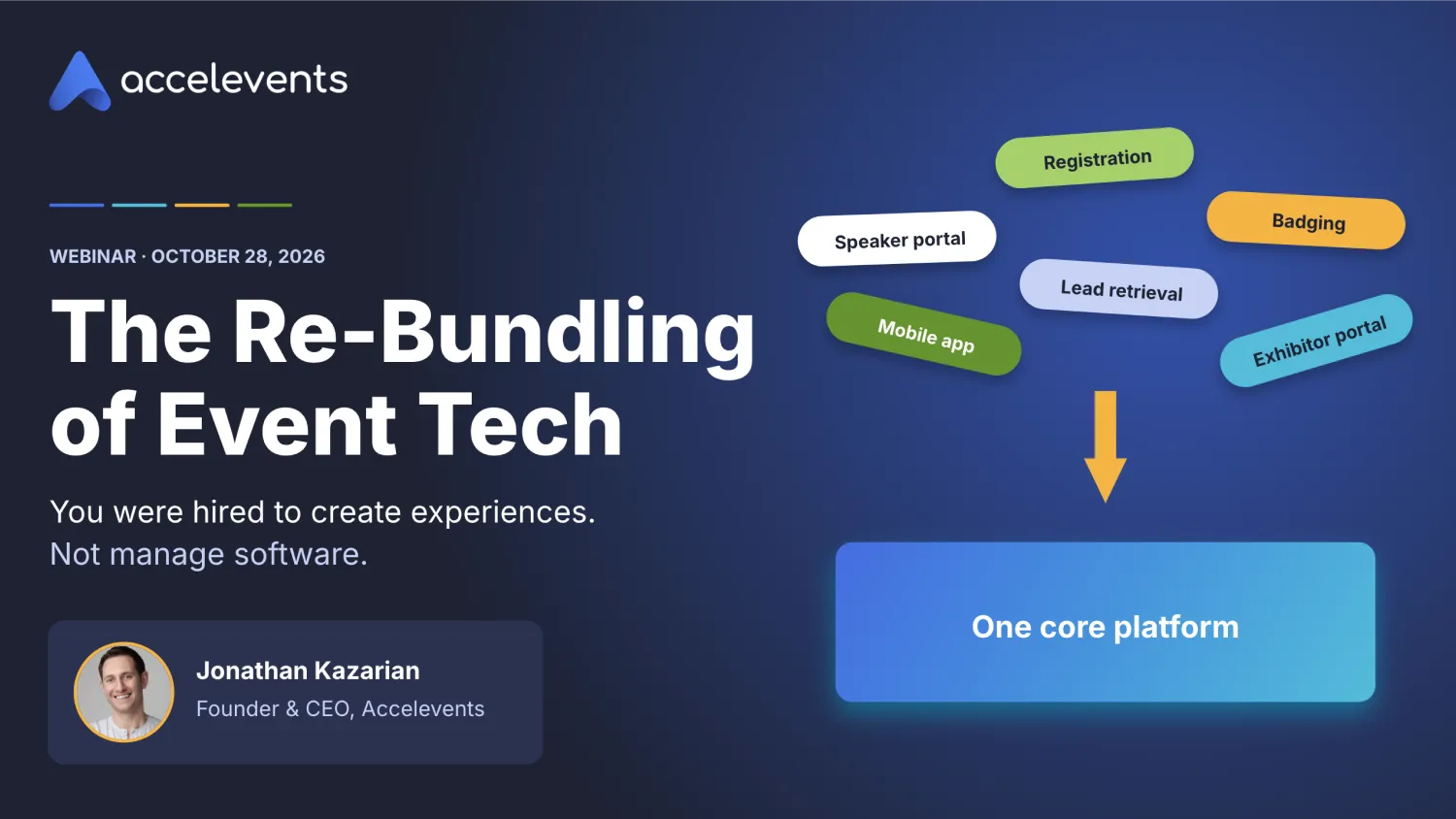
You got into events to bring people together. Somewhere along the way, much of that job turned into bringing software together.
In our recent webinar, Accelevents founder and CEO Jonathan Kazarian walked through why event tech stacks got so crowded, what that sprawl is costing you, and how to build a stack that works for you instead. Watch the full recording below, or keep reading for the highlights.
Key Takeaways
- Most planners are running a stack, not a system. More than 81% juggle 2 to 5 event tools.
- Every extra tool adds a hidden tax: on your data, your time, your support, and your experience as an operator.
- Event tools overlap far more than they should. Jon estimates many stacks carry close to 85% feature overlap.
- The fix is to own one core platform built around the registration record, then extend it with APIs, webhooks, and AI instead of bolting on another tool.
- You don't have to be technical. The right platform should act as a partner and help build what you need.

Why do event planners have so many tools?
Because over the last decade, every gap has been filled with a new product. According to research from White Massif, more than 81% of planners use between 2 and 5 event tools, and about 63% use five or more. That's event tech alone, before you count the project management boards, spreadsheets, and Zapier connections holding everything together.
Jon compared it to nursing. Nurses go into the field to help people, then spend half their shift on a computer. Event pros are in the same spot. "So much of their job today is becoming this integration engineer, just trying to connect all of these different tools together," he said.
At IMEX America, about half a dozen people told the Accelevents team some version of this: "We over-platformed last year."
How did event tech get so fragmented?
Software moves in cycles: bundle, unbundle, re-bundle. In the 2000s and early 2010s, products got bundled into suites. Then, starting around 2015, the SaaS wave and a flood of venture capital created a wave of specialized tools, each built to solve one specific problem.
Event tech hit that wave hard in 2020 and 2021, when virtual events took off. Billions of dollars poured in, and roughly 300 new event tech companies launched in 2021 alone. Most of them are gone now. The overhead they left behind isn't.
We're now in the re-bundling phase. What's driving it is how platforms are built today and how easily they can be extended. "I'm trying everything in me not to use the term AI," Jon said, "but what we can do today makes it so much easier to extend existing platforms, if they're built in a way that can support that."
What are the hidden costs of a fragmented event tech stack?
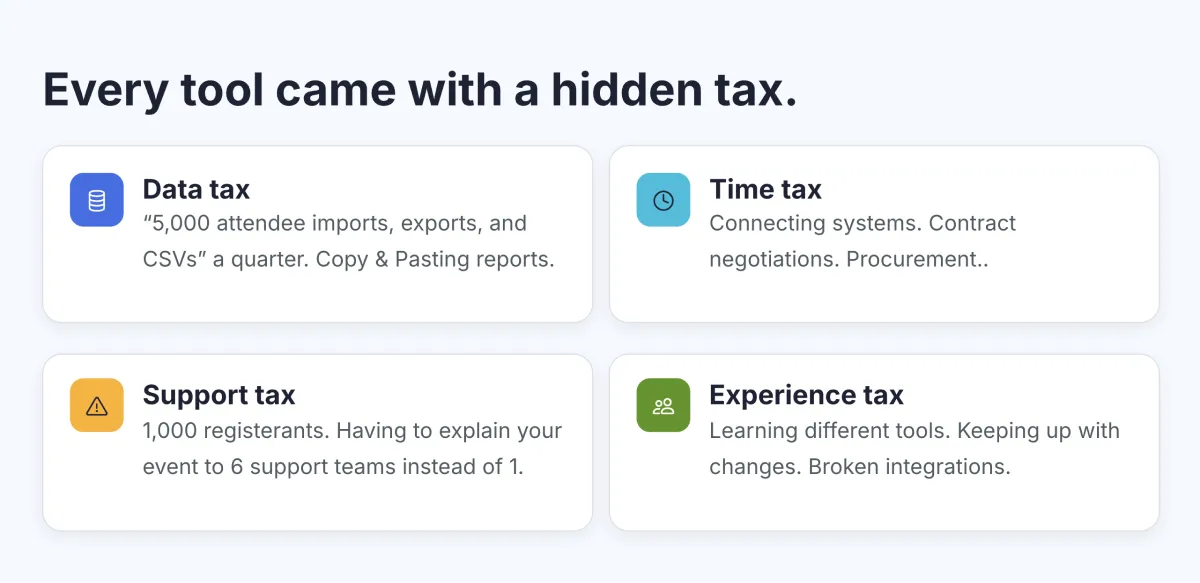
The license fee is the cost you see. The bigger costs are the ones nobody tracks. Jon broke them into four hidden taxes:
- Data tax. Your data lives in different places, so every report means exports, CSV imports, and reformatting before anything lines up.
- Time tax. Every vendor brings its own setup, contract negotiation, procurement review, and security review.
- Support tax. Six tools means six support teams, and none of them sees your whole event. You start every conversation from scratch.
- Experience tax. On a well-built platform, you reuse components. Learn to build an email or a landing page once, and you can do it everywhere. Spread that work across five tools, and you never get the speed of a power user.
Why do event tools overlap so much?
Because no feature stands alone. Jon walked through how it happens: "If I'm going to have badge printing, then I need an attendee record. And if I'm going to have that, then I need a way for people to log in. And now I've got email."
Repeat that across a stack, and you end up paying for the same features several times. Jon estimates the overlap across a typical stack is close to 85%.
The bigger problem is the data model. Every tool structures attendee data differently, so even with every integration configured correctly, records don't sync perfectly. That's where data inconsistencies, bugs, and frustrated attendees, speakers, and exhibitors come from.
What should your core event platform be?
Start with registration. "That's what's driving almost every other interaction," Jon said. "That's where all of your data and your reporting is going to come from. It's your single source of truth."
Your emails, exhibitor resource center, exhibitor allotments, speaker resource center, and mobile app all stem from that registration record. So when you evaluate a platform, ask two questions:
- Is the registration core strong enough to build on?
- Can I extend it to get what I need, instead of gluing best-of-breed tools together?
That second question has a new answer. Three years ago, if a platform got you 90% of the way there, you went shopping for another tool to cover the rest. Today, if the platform has the right building blocks, you can extend it to close the gap.
Event tech terms, defined
These words get thrown around in every vendor conversation. "You probably didn't get into this industry to become an expert on APIs or webhooks," Jon said. Here's what they mean in plain English.
One tip on APIs: ask whether everything you can do in the platform's interface can also be done through its API. Platforms with a decoupled front end and back end usually give you that parity.
On vibe coding, Jon drew a clear line. You can build your own databases from scratch, or you can build on top of an existing platform's APIs. The second route gives you a custom interface without having to handle the security and scalability work yourself.
Setting up MCP sounds technical, but it's a one-click connection. "At that point, everything that you're doing is in natural language," Jon said. "You can just ask away."
What does extending your platform look like in practice?
Two examples from the session:
A custom help desk for a 10,000-person event. One Accelevents customer built its own support inbox. Its team of six support staff could see each attendee's record, order details, recent emails, and registered sessions right next to the message, and make updates without switching screens.
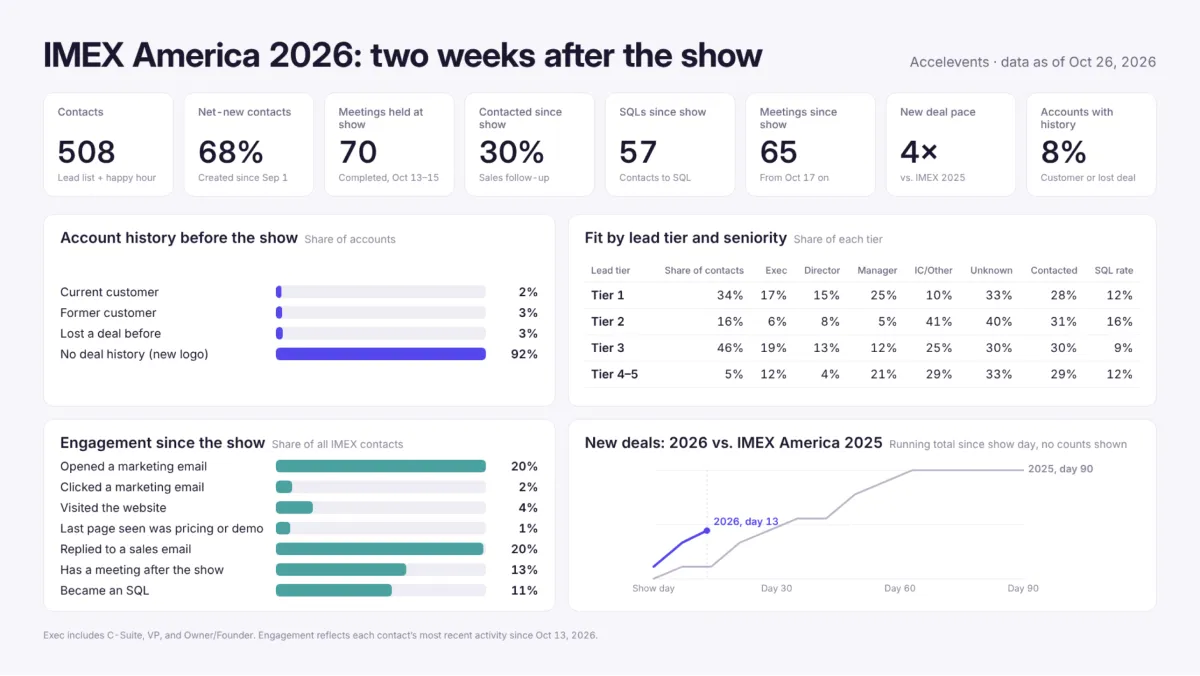
A post-IMEX ROI dashboard, built with a few prompts. After IMEX America, the Accelevents team used MCP to combine event data with CRM data from HubSpot. The dashboard showed 508 contacts engaged at the show and 57 SQLs since. It also surfaced something surprising: only 8% of those contacts came from accounts with any deal history, as a customer or a past opportunity.
The dashboard refreshes from the CRM, so there's no manual update. Unlike a standard platform dashboard, you can ask how each number was calculated and drill into it.
Here's an example of some of the data in that dashboard.
Do you need to be technical to do this?
No. "That's where finding a platform that's essentially a partner comes in," Jon said. "If you know what you need, they should be able to help you build it."
The same tools that make extending a platform easier also help your vendor respond faster. At Accelevents, the support team builds three or four custom solutions for customers on a typical day, using the same APIs customers get.
If you want to try it yourself, Jon's advice was simple: start.
Tools like Replit and Lovable handle hosting for you and can connect to your platform's API. "It feels a little daunting," he said, "but if you just go and get started, you'll pick it up pretty quickly."
What should you ask an event platform vendor?
If you're evaluating platforms, these questions separate the ones you can build on from the ones you'll outgrow:
- Can everything in the platform be done through the API? Make sure access isn't gated, upcharged, or rate-limited so tightly that you can't do routine admin work.
- Can I use the API to build attendee-facing experiences? Some platforms let you pull your own data out but not build on top of it.
- Can I see your full list of webhooks? Many platforms have some. Check that the events you need in real time are on the list.
- Are custom fields available in the API? Legacy platforms often expose standard registration fields but hide custom ones.
- Can you show me customers who've built on your platform? Ask for real examples, like the help desk above.
- Does your support team build on it too? If their own team can create custom solutions without pulling in engineering, they can help you.
There's a security angle too. Every extra platform means another API key, another vendor review, and another risk. Jon expects security and compliance teams to get even stricter about approving new vendors, which makes building on your core stack faster than adding to it.
Your next step: map your hidden taxes
Jon closed with a simple challenge. After you finish reading, grab a sheet of paper and:
- List every tool in your event tech stack, including the spreadsheets, project boards, and Zapier connections.
- Circle the ones that take the most time to manage or connect.
- Pick the most redundant one and figure out how to fold it into your core platform.
The goal isn't to rip out your stack overnight. It's to reclaim one workflow, then the next.
As Jon put it: "Pick a platform, get back to work. Stop trying to Frankenstein your event tech stack together."
Want a head start on that sheet of paper? Our hidden-tax calculator shows where your stack is costing you time, data, and money, and where consolidation would pay off first.
Frequently asked questions
What is an event tech stack?
An event tech stack is the full set of software an event team uses to plan and run events, such as registration, a website builder, an attendee app, lead capture, and badge printing. It also includes the spreadsheets and integrations that connect them.
If my team can vibe code its own features, why do we need an event platform?
Because events bring traffic spikes and sensitive attendee data. If 10,000 people hit your site at once, you need tested infrastructure, and "you don't want your event to be the one you're testing it on," Jon said. Vibe coding is great for adding or modifying a feature on top of a platform. Rebuilding an entire platform takes far more time than it saves.
How do I show leadership the time cost of a fragmented event tech stack?
Track your hours. Use a free time tracker for a few weeks and log the time spent connecting tools. "I'm spending three hours on Tuesday trying to connect XYZ to ABC" adds up fast. A dashboard that answers a question your sales leader has wanted answered for years helps make the case too.
How do I get budget to change event platforms?
You may not need new budget. Consolidating your stack reduces the number of tools you pay for, which keeps procurement happy and often lowers your total spend. The key is choosing a core platform with the APIs and extensibility to build on.
Can event data be combined with CRM data to measure ROI?
Yes. With an MCP connector, you can pull event data and CRM data into one view using plain-English prompts. The Accelevents team built its post-IMEX ROI dashboard this way the day after the show.



