Event professionals are expected to do a little bit of literally everything. Plan the event, drive attendance, coordinate speakers and vendors, create content, keep sales informed, and prove it was all worth the investment. There's a lot on your shoulders!
Not to sound cliché, but... "There's an app for that!"
We've rounded up eight of the best apps for event professionals, from AI-powered creative tools to smarter project management and personalized post-event follow-up.
Here's the truly useful part: for each one, we've included an example to show you exactly how to put it to work at your next event. We also included ideas for connecting these tools to create workflows that can make them even more useful.
The best part? You don't have to be a GTM engineer to make any of this work for you.

What are the best event planning apps?
The best apps for event professionals help with planning, project management, event promotion, on-site execution, content creation, and post-event follow-up. The right combination depends on whether you're organizing your own events, participating in third-party conferences, or managing both.
Here are eight worth exploring:
You probably don't need all eight. In fact, before adding another tool to your stack, take a second to see if your existing platforms can already do any of this.
But if there's a part of your event workflow that takes WAY more time than it should, one of these apps might be exactly what you need.
1. Claude: Best for event planning, analysis, and connecting your tools
Best for: Event marketers who want an AI assistant for planning, research, problem-solving, and analyzing information across systems.
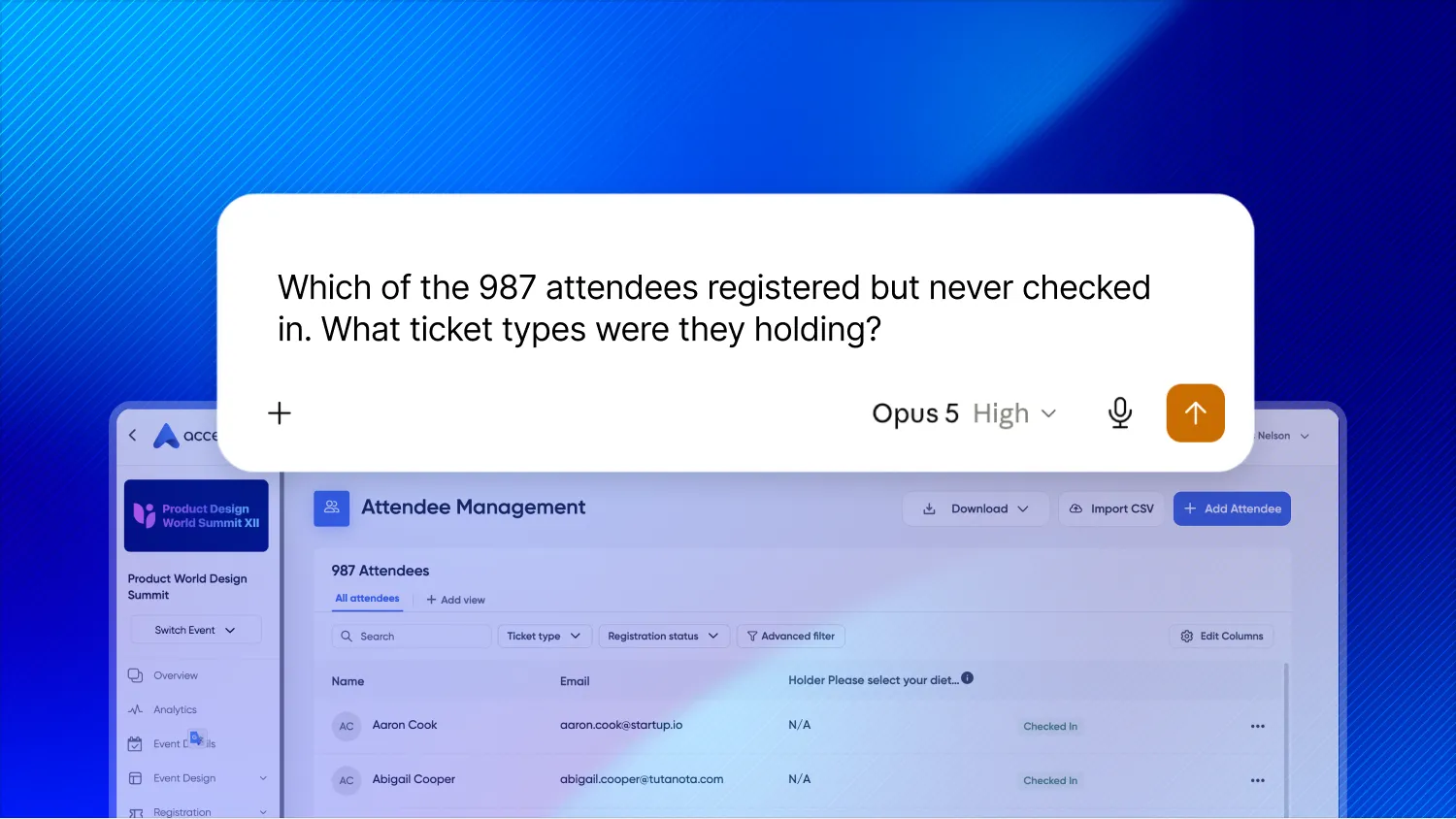
Claude is an AI assistant from Anthropic that can help with everything from evaluating sponsorship opportunities to analyzing event performance. You probably already knew that, though.
You can use it to build agendas, review budgets, draft speaker briefs, analyze survey responses, or develop contingency plans.
It adds the most value when you give it relevant context. For example, instead of asking generic questions, you can share your event objectives, audience, historical performance, and business priorities. You can even build a dashboard specific to your KPIs.
With MCP connectors, Claude can work with information from connected applications instead of relying only on documents you manually upload.
Try this at your next event
Evaluate a potential trade show sponsorship before committing your budget.
Upload the sponsorship prospectus, your event objectives, your ICP, and relevant results from previous events.
Then ask:
"We're evaluating this conference as a potential sponsorship opportunity. Our primary goals are to generate qualified pipeline and strengthen relationships with existing customers. Review the sponsorship options, identify the most promising opportunities, and create a list of questions we should ask the organizer before committing."
If you have it, add historical performance data to make the analysis more relevant to your business.
You can also use Claude to develop a measurement plan before the event so you know what information to capture to evaluate results afterward. We recently shared a custom event dashboard we built using Claude.
Why it's worth exploring: AI is most valuable when it helps you make better decisions, not just create more content. And connecting it to the right applications opens up possibilities that go well beyond an ordinary chatbot.
2. Asana: Best for turning event plans into action
Best for: Coordinating event projects, stakeholders, deadlines, and deliverables.
Every event starts with a plan. The challenge is keeping that plan current as decisions get made, priorities change, and new tasks emerge.
Asana helps teams organize projects, assign responsibilities, track deadlines, and manage dependencies across departments.
Its AI capabilities are especially helpful for event professionals who are struggling to keep up with the blocking and tackling of project management (aren't we all?!).
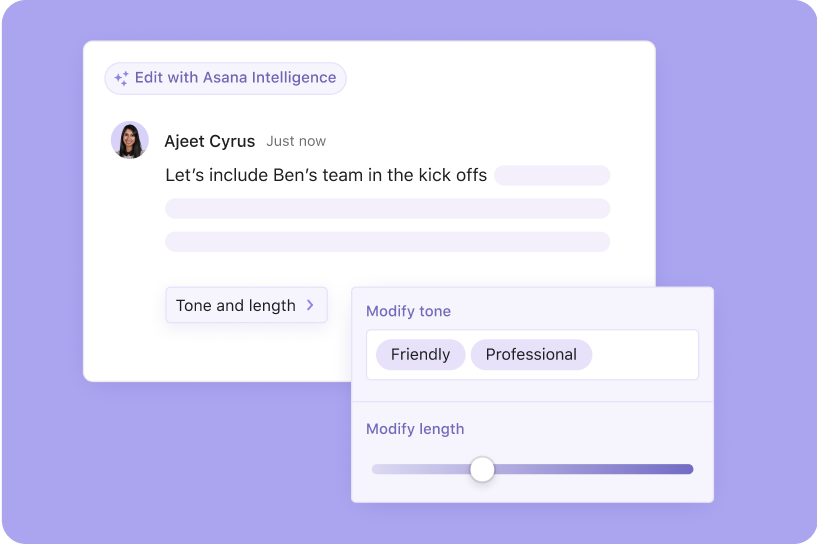
With Asana AI, you can generate a project structure from a description or document, capture meeting discussions and turn suggested action items into tasks, and summarize project progress without digging through every update.
Less time translating conversations into project plans and chasing people for status updates? Yes, please!
Try this at your next event
Turn your event kickoff into an actionable project plan.
Start with your event brief, including objectives, audience, dates, budget, and major deliverables.
Use Asana's AI project creation capabilities to generate a project organized around workstreams such as registration, promotion, speakers, sponsors, on-site logistics, and post-event follow-up.
Review the suggested tasks, assign owners, and establish deadlines.
As planning progresses, use Asana AI Meetings to capture decisions and suggested action items from team discussions. You can also use Asana Dash to ask questions such as:
"Which tasks are at risk of missing their deadlines before our event, and what decisions are still outstanding?"
Why it's worth exploring: Keeping an event on track is hard enough without manually updating multiple project plans and meeting recaps. Asana helps keep the work and the people responsible for it connected.
3. Clay: Best for building and prioritizing your event audience
Best for: B2B event marketers who need to decide who to invite, who to prioritize, and where sales should focus.
Great events start with the right people in the room.
But building an invite list usually means exporting accounts from your CRM, filling in missing contact details, and guessing which registrants matter most.
Clay is a data enrichment platform that pulls company and contact information from over 150 data providers and uses AI to research accounts and people.
For event marketers, that means you can build a targeted invite list, identify their contact info, include them in ad campaigns, and launch email outreach.
Try this at your next event
Turn your registration list into a prioritized account list.
Two weeks before your event, bring your current registrations into Clay.
Enrich each registrant with company size, industry, and job level. Then use Clay's AI research to answer a question about each account, such as:
"In the past 6 months, has this company announced new executive hires, additional funding, or expansion plans?"
Compare the enriched list against your target accounts and CRM. Then give sales a short list of who's registered, why they matter, and who should reach out before the event.
You can use the same approach to build invite lists for executive dinners, find target accounts that haven't registered yet, or prepare briefs for your booth staff.
Why it's worth exploring: The most valuable event conversations are often planned before the event. Clay helps you know who's coming and why they matter, so sales shows up prepared.
As with any enrichment tool, spot-check the data before you hand it to sales.
4. Higgsfield AI: Best for creating standout event promotional content
Best for: Event marketers who need compelling visuals and video without a large production budget.
A great event deserves better promotion than another stock photo of people networking in a conference room.
Higgsfield AI is an AI creative platform that helps users generate and edit images and videos, including cinematic effects, camera movements, and marketing creative.
For event marketers, that opens up some really cool possibilities.
You could develop a teaser video for your annual conference, experiment with visuals for a sponsorship campaign, or create multiple promotional concepts without organizing a separate production shoot for each one.
Try this at your next event
Create a short promotional video for your upcoming conference.
Start with your event branding, a few visual references, and a creative brief.
Use Higgsfield to explore a 15-second teaser that captures the energy and personality of your event.
For example:
"Create a 15-second cinematic teaser for a B2B technology conference. Use modern architectural visuals, energetic camera movement, and a sophisticated style. Build anticipation without making it feel like a traditional corporate advertisement."
Experiment with a few concepts, then refine the strongest one for LinkedIn, email, or your event website.
Why it's worth exploring: It gives marketers a way to experiment with more ambitious creative ideas, even when time and production resources are limited.
5. Accelevents: Best for managing events and understanding what worked
Best for: Conferences, customer events, field marketing programs, and other owned events.
Accelevents is an event management platform that brings registration, event websites, on-site check-in, badge printing, attendee engagement, and reporting together.
For event professionals, that means fewer disconnected systems to manage and less manual work moving information between them.
Accelevents recently launched its Model Context Protocol (MCP) connector, which makes it easier to get answers from your data.
MCP is a standard that allows AI assistants to access information from connected applications. With the Accelevents MCP connector, you can use Claude to explore your event data by asking questions in plain language. The connector is included for all Accelevents customers at no extra cost.
Instead of starting with a predefined report, you can start with the questions you need answered.
Try this at your next event
Ask AI to help analyze your event performance.
After your next customer conference, connect Accelevents to Claude and try:
"Which sessions had the highest attendance relative to registration, and which experienced the biggest drop-off? Summarize what we should consider changing for our next event."
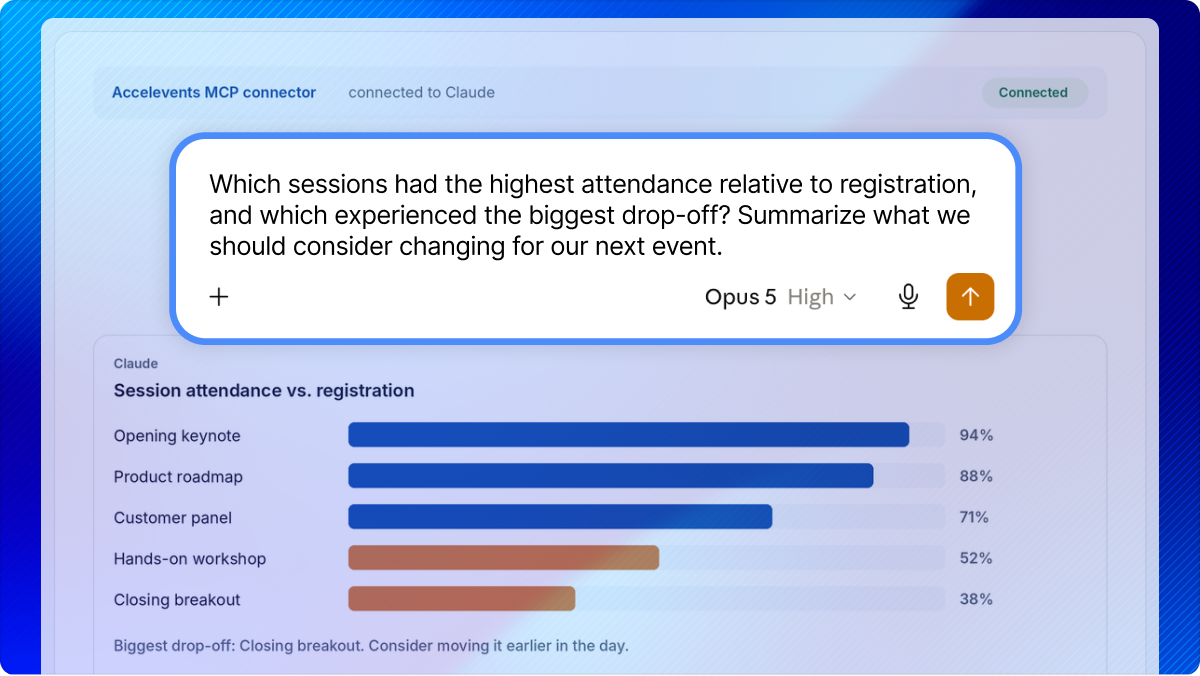
You can also explore registration trends, ticket revenue, sponsor or exhibitor activity, and target account engagement.
And if your CRM is also connected to Claude, you can go a step further. You can combine event engagement with account and opportunity information to better understand how your event contributed to business relationships.
We'll explore that workflow later in the article.
Why it's worth exploring: Event management doesn't stop at getting people registered and checked in. Your event data should help you understand what happened and make better decisions about what comes next.
6. Wispr Flow: Best for capturing ideas and conversations without typing
Best for: Event professionals who are constantly moving between meetings, conversations, and planning tasks.
Some of your best event ideas probably happen when you're nowhere near your keyboard.
Wispr Flow is an AI-powered voice dictation app that turns natural speech into polished text across applications.
You can use it to draft emails, write event briefs, dictate project updates, or capture ideas without having to type everything out.
Its newer Notetaker capabilities also support meeting transcription, summaries, action items, and questions about previous conversations.
That makes it useful for more than just dictation.
Try this at your next event
Capture your observations while they're fresh.
Imagine you've just finished walking the exhibit hall at a major industry conference.
You noticed a few interesting booth designs, heard recurring questions from attendees, and came up with several ideas for your next event.
Instead of waiting until you're back at your desk, dictate a quick recap:
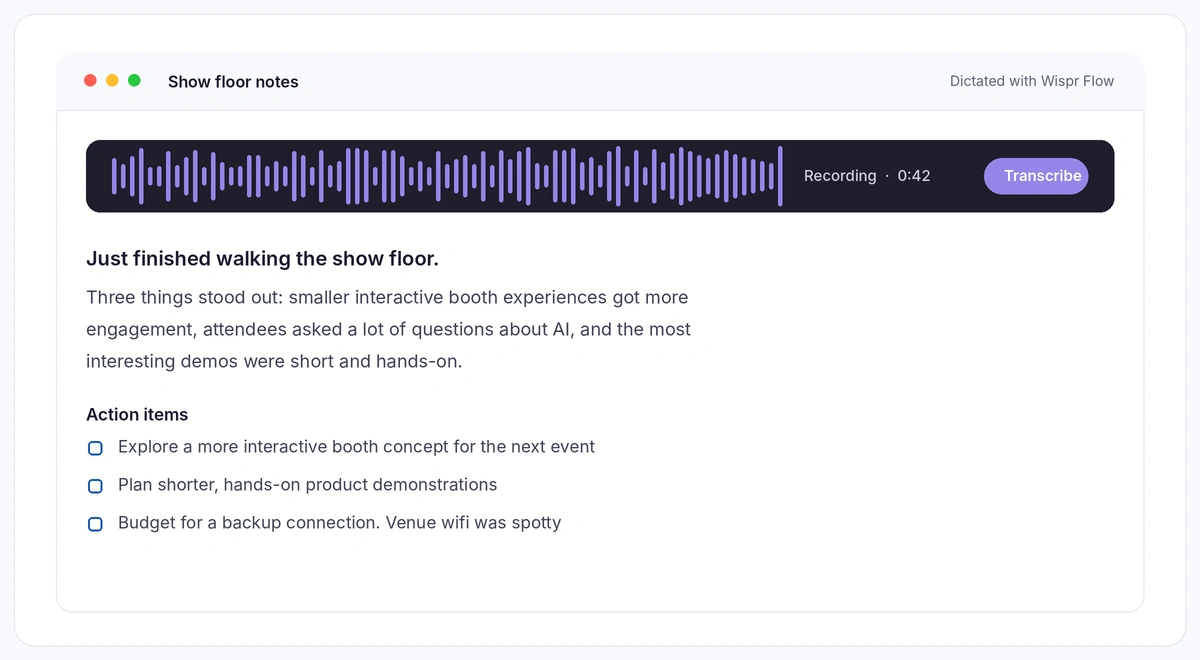
"Just finished walking the show floor. Three things stood out: smaller interactive booth experiences got more engagement, attendees were asking a lot of questions about AI, and the most interesting demos were short and hands-on. For our next event, I want to explore a more interactive booth concept and shorter product demonstrations. But we need to plan for spotty wifi."
Use that dictation to create a recap for your team or the starting point for your next event brief.
You can also use Wispr Flow's Notetaker during planning meetings, then ask questions about the decisions and commitments captured.
Why it's worth exploring: Event professionals generate ideas and make decisions all day long. Wispr Flow captures that thinking as it happens, before important details are forgotten.
Obligatory legal disclaimer: Meeting recording should always follow your organization's consent and privacy policies.
7. Voxo Studio: Best for turning event sessions into content that keeps working
Best for: Conferences, executive panels, customer events, and content-rich programs.
You spend months developing an agenda, recruiting speakers, and producing sessions that earn perfect CSAT scores.
Then the event ends, and much of that valuable content sits in a recording library.
Voxo Studio uses AI to turn event recordings and transcripts into session summaries, takeaways, and branded reports.
For event marketers, that means the content you've already invested in can keep creating value long after the event.
Try this at your next event
Turn your most popular sessions into post-event content.
After a customer conference, use Voxo Studio to process recordings or transcripts from your most popular sessions.
Create branded summaries highlighting the key takeaways, then put them to work.
Share them with attendees who want to revisit the content. Send relevant insights to prospects who couldn't attend. Give your sales team useful material for follow-up conversations.
Your content team can also use those summaries as starting points for blog posts, email campaigns, and social content. In fact, they will love you for delivering this to them.
For multi-track conferences, summaries are especially useful for attendees who couldn't make it to every session.
Why it's worth exploring: The content from your event shouldn't stop being valuable when the doors close. Making it easier to capture and repurpose that content extends the return on the work you've already done.
8. 11x Alice: Best for personalized post-event follow-up at scale
Best for: B2B event marketers working with sales to turn event engagement into pipeline.
Here's a scenario we've all lived:
Your team returns from a major (very expensive) trade show with hundreds of leads. Sales had some great conversations. People attended demos, asked questions, and expressed interest.
Then everyone gets back to their regular workload.
A week passes. Some contacts receive a generic follow-up email. Others never hear from anyone.
11x Alice can potentially solve this issue.
Alice is an AI-powered sales agent that researches prospects, personalizes outreach, executes follow-up sequences, and books meetings.
Its event follow-up capabilities stand out because they can use context to tailor messages based on what someone experienced. Someone who attended a product demo shouldn't receive the same message as someone who registered but never showed up.
That level of personalization is hard for any sales team to sustain manually after a busy event.
Try this at your next event
Build a follow-up strategy around actual attendee behavior.
Before your next event, work with sales to define a few meaningful audience segments.
With the right event data and CRM configuration, Alice can help execute differentiated outreach rather than relying on a single generic sequence.
Start with a small audience, confirm that the data is accurate, and review sample messages before expanding the program.
Why it's worth exploring: The opportunity isn't just faster follow-up. It's turning the momentum created at an event into relevant conversations and measurable business outcomes.
Better Together: Connect Your Event Apps With AI
Here's where it all comes together.
The apps we've covered can each solve a specific problem, but some of the most useful workflows happen when you connect them.
With integrations and MCP connectors, you can bring information together across applications, turn insights into action, and reduce the manual exports required to aggregate data between systems.
Here are five AI-powered workflows worth exploring before your next event.
1. Turn your event kickoff meeting into a project plan
Apps: Wispr Flow + Claude + Asana
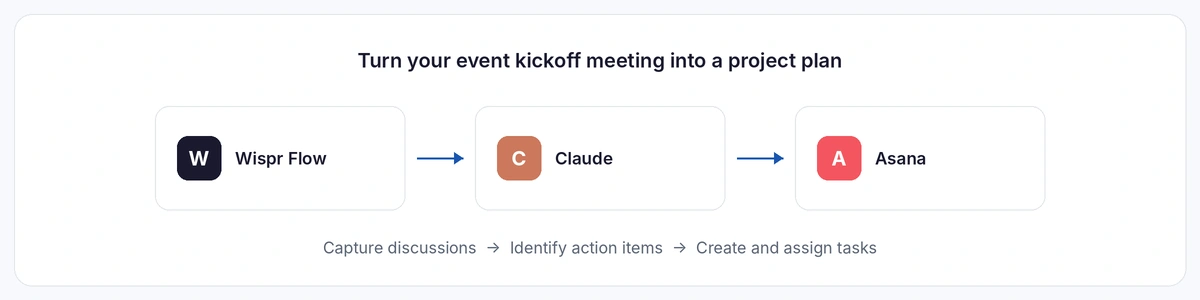
Imagine finishing your event kickoff meeting and having your project plan practically build itself.
Use Wispr Flow to capture the meeting, including decisions, deadlines, and action items.
With Wispr Flow and Asana connected to Claude, you can ask it to review the meeting notes and prepare a project plan.
Try this prompt:
"Review the notes from our latest event kickoff meeting. Create a proposed Asana project organized around registration, promotion, speakers, sponsors, and on-site logistics. Include the action items discussed, assign owners where they were explicitly identified, and flag missing deadlines or unresolved decisions. Suggest due dates based on the go-live for registration and the date of the event. Show me the plan before creating the project."
Once you've reviewed the proposed structure, you can use the Asana connection to create the project and tasks, subject to your permissions and configuration.
The benefit isn't simply saving time on data entry. It's reducing the chance that important commitments get lost between the meeting and the work that follows.
2. Turn a creative brief into promotional content
Apps: Claude + Higgsfield AI
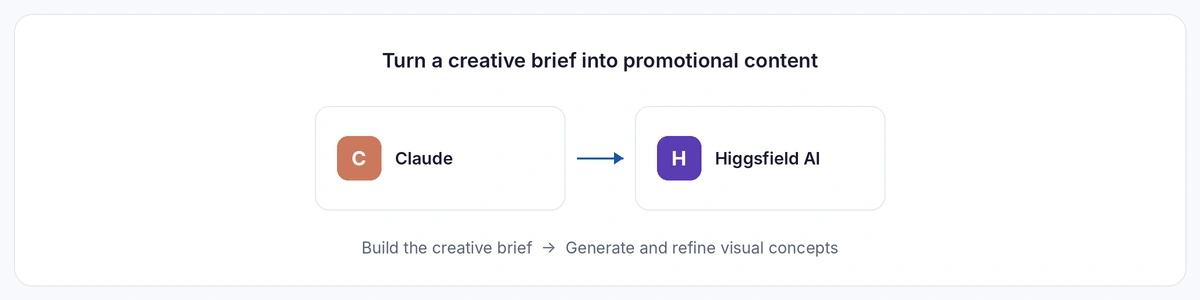
You have an idea for an event campaign, but you need to turn it into something visual.
Start in Claude by developing a creative brief that includes your audience, event objectives, key message, visual direction, and distribution channels.
Then use Higgsfield to generate visual concepts or video assets from that brief.
For example, you could create several variations of a conference teaser, test different creative directions, and refine the strongest concept for your launch campaign.
With MCP integration, you can connect creative planning and generation, all while ensuring your brand guidelines are applied. Otherwise, you can move the approved brief between applications manually.
Either way, you're spending less time starting from a blank page!
3. Connect event engagement to pipeline and revenue
Apps: Accelevents + Claude + your CRM
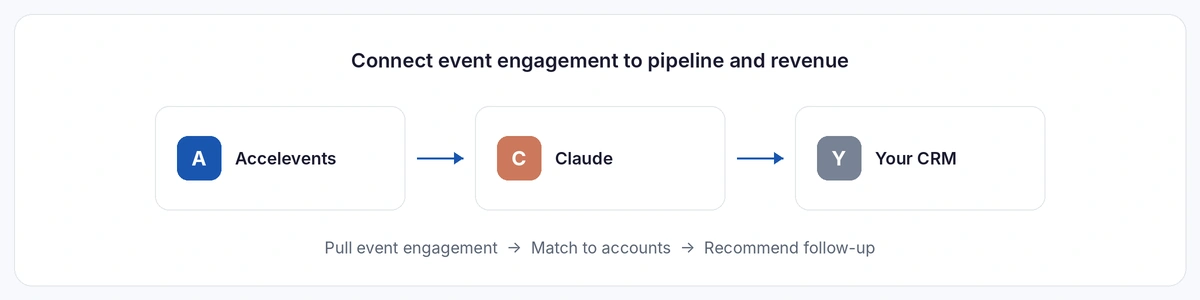
This is one of the biggest opportunities for corporate event marketers.
Your event management platform knows what happened at your event. Your CRM knows what's happening with your accounts, contacts, and opportunities.
But those two sets of information aren't always easy to analyze together.
If Accelevents and your CRM are both connected to Claude, you can ask questions that bring those perspectives together.
Try this prompt:
"Compare attendees from our latest conference against our CRM. Identify accounts with open opportunities, existing customers, and prospects with previously closed-lost deals. For each group, summarize their event engagement and recommend relevant follow-up actions."
You could also ask:
- Which target accounts attended but don't currently have an open opportunity?
- Which customers participated in sessions relevant to products they don't currently use?
- Which open opportunities had multiple stakeholders engage with our event?
- Which previously lost opportunities may be worth revisiting based on their recent engagement?
These questions can help marketing and sales prioritize their next actions based on more than a badge scan or registration record.
The workflow depends on having appropriate data access and reliable matches between event attendees and CRM records.
Connecting these systems gives you a richer picture of event influence, making ROI and future investment decisions much easier.
4. Personalize post-event follow-up using event and CRM context
Apps: Accelevents + CRM + 11x Alice
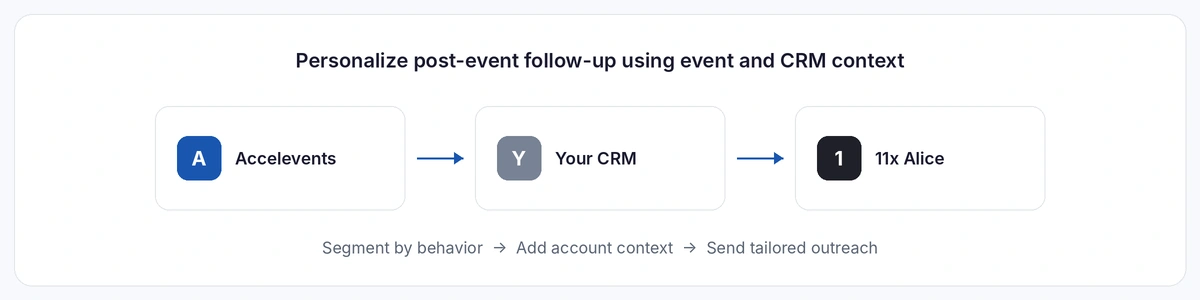
Once you understand who engaged with your event and how those people relate to your business, the next question is what to do about it.
Instead of sending every attendee through the same follow-up sequence, use event engagement and CRM context to build more relevant outreach.
For example, someone with an active opportunity who attended a product demonstration might warrant immediate follow-up from their account executive.
Someone who attended an educational session but isn't currently evaluating solutions might benefit from a longer-term nurture approach.
And someone who registered but didn't attend might appreciate a recap of what they missed.
Alice can help execute personalized outreach using the information available through its configured integrations.
The important part is that the follow-up reflects what you know about the person and their interests.
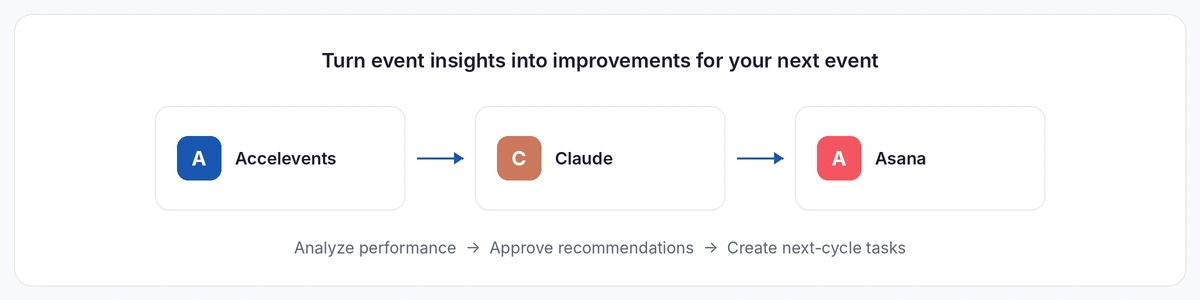
5. Turn event insights into improvements for your next event
Apps: Accelevents + Claude + Asana
Post-event reporting almost always ends with a presentation.
Everyone reviews the results, agrees on a few improvements, and then moves on to the next event.
What if the recommendations could become actual work?
With Accelevents and Asana connected to Claude, you can analyze event performance and then turn approved recommendations into tasks for your next planning cycle.
Try this prompt:
"Review our latest event's registration trends, session participation, and attendee engagement. Identify five opportunities to improve our next event. For each recommendation, explain the supporting evidence and propose an action item. Once I approve the recommendations, create the corresponding tasks in our Asana project."
This creates a useful connection between reporting and execution.
Instead of simply documenting what happened, you're using the information to make the next event better and creating a system of ownership to execute.
How to choose the right apps for your event technology stack
It's tempting to look at a list like this and start signing up for new tools, but don't lose sight of the fact that event professionals already manage enough disconnected technology. In fact, we just released a guide to navigating the re-bundling of event technology.
Before adding another app, consider what problem you're trying to solve, whether your existing platforms already address it, and how the new tool will fit into your workflow.
A tool that saves time in one area but creates more manual work somewhere else may not be worth adding.
As AI integrations become more capable, it's worth paying attention to how your applications share information, not just what each application can do independently.
The goal isn't to have the most tools. It's to have the right tools working together.
Better tools = More time to do what you love.
The most exciting thing about today's event technology isn't just that AI can help you create content faster or automate another task.
It's that the tools and information you already have can start working together in more useful ways.
You can spend less time pulling reports, chasing action items, recreating content, and sorting through spreadsheets. And more time on the experiences, conversations, and relationships that make events valuable in the first place.
Start with one problem you'd love to stop solving manually. Try a tool that addresses it. Then look for opportunities to connect it with the rest of your workflow.
Because the goal isn't more technology to manage.
It's more time for the work that matters.
Want to see how connected event management and AI-powered reporting can work together? Explore Accelevents.
Frequently asked questions about event planning apps
What apps do event professionals use?
Event professionals use a combination of event management platforms, project management software, AI assistants, creative tools, research applications, and sales or marketing automation tools. The right combination depends on the types of events they manage and the business outcomes they're responsible for.
What are the best AI tools for event planning?
AI-enabled event management platforms like Accelevents are quickly becoming table stakes. AI assistants like Claude can help with event planning, research, and analysis. Asana can help organize projects and tasks, and Clay can help build and prioritize your event audience. Specialized tools such as Higgsfield AI, Wispr Flow, and Voxo Studio support creative production, dictation, and content repurposing.
What software is best for managing corporate events?
Corporate event teams often benefit from an event management platform that supports registration, event websites, on-site check-in, attendee engagement, and reporting. Accelevents is one example of a platform that brings these capabilities together, reducing the need for separate tools across the event lifecycle.
How can AI help with event follow-up?
AI can help segment attendees, analyze engagement data, enrich CRM context, draft personalized messages, and support automated outreach. Tools such as 11x Alice can help sales teams execute differentiated follow-up based on event activity and available account information.
Can AI connect event data with CRM data?
Yes. When an event management platform and CRM both provide compatible integrations or MCP connectors to an AI assistant, authorized users can analyze information across systems. For example, connecting Accelevents and HubSpot to Claude can help marketers examine event engagement alongside account and opportunity data.